

How to create your Fusiora account
Step-by-step signup, email verification and initial setup of your client area.
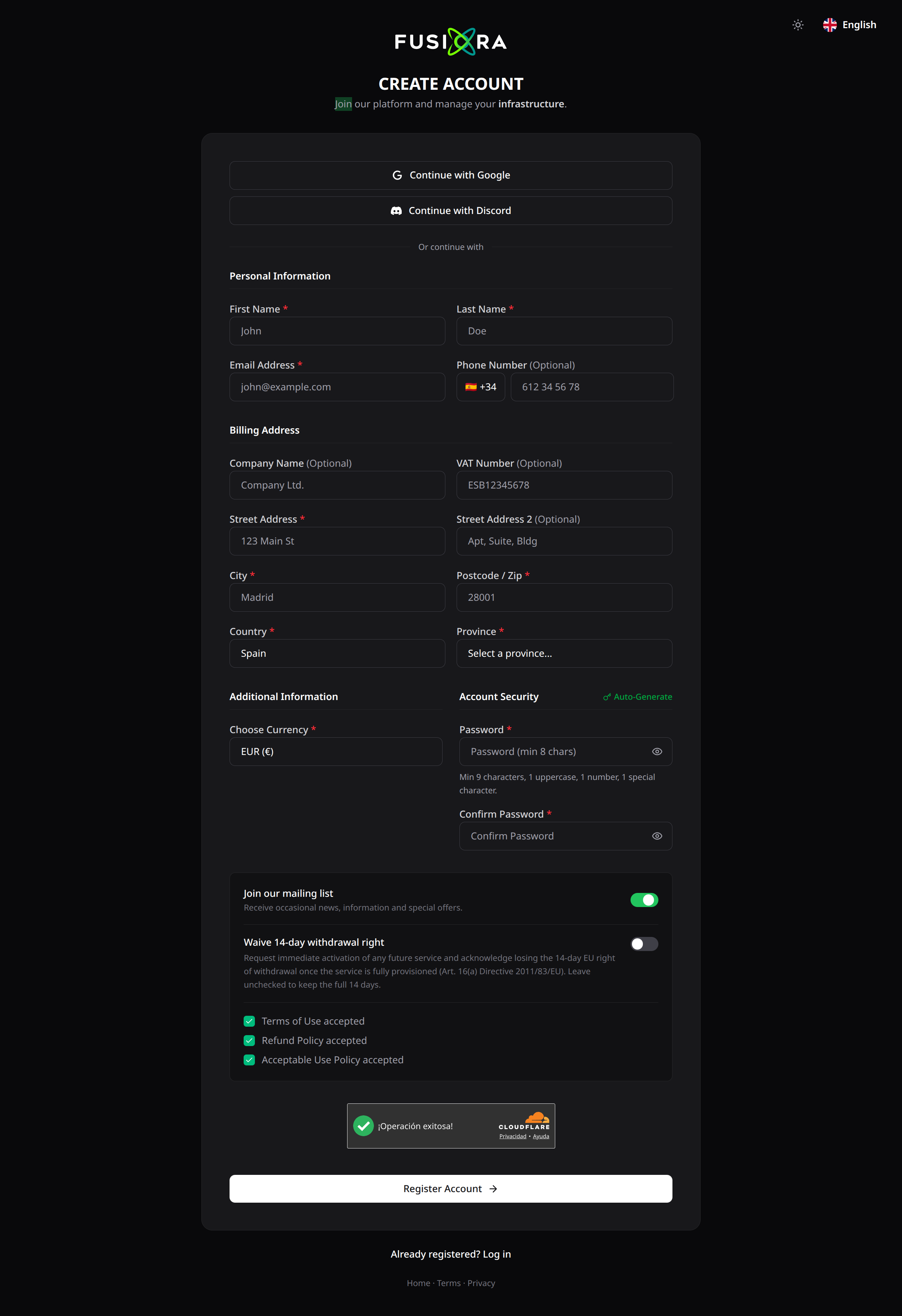
Creating your account at fusiora.com/register takes about 3 minutes. From your client area you'll manage services, invoices and support.
1. Accept the legal documents
Three required steps: Terms, Refunds and Acceptable Use. Scroll to the bottom and wait for the timer to continue.
2. Choose how to sign up
- Google or Discord — one-click signup, legal docs accepted implicitly.
- Email and password — manual signup with the full form.
3. Personal and billing details
Fill in the fields marked with a red asterisk:
- First name, last name and email — email becomes your username.
- Full billing address — city, postcode, country and state. It will appear on your invoices.
- Company and VAT/Tax ID — optional for individuals.
4. Secure password
Minimum 9 characters, with at least 1 uppercase, 1 number and 1 special character. Click Auto-generate to create a random 16-character one.
5. Verify your email
You'll get a message from noreply@fusiora.com. Click the link within 24 h. If it doesn't arrive, check spam or request a resend from the client area.
6. Enable 2FA
Once inside, go to Security Settings > Two-Factor Authentication and pair a TOTP app (Authy, Google Authenticator…). Save the backup codes.
Common issues
- Duplicate email — an account already exists with this address. Use login or recover your password.
- Captcha blocked — disable VPN and reload.
- Email not arriving — check spam or open a ticket at support.
Done. You can now order VPS, Web Hosting, Game Hosting or domains from your client area.
Questo articolo ti è stato utile?
Sii il primo a valutarlo