

Game Hosting
How do I add mods to my ARK server?
Enable Steam Workshop mods on your ARK server by editing ActiveMods in GameUserSettings.ini.
Aug 19, 20263 min readarkmodsworkshopsteamactivemods
In this tutorial we add the S+ (Structures Plus) mod, but there are many other mods available.
- Search for your mod on the internet.
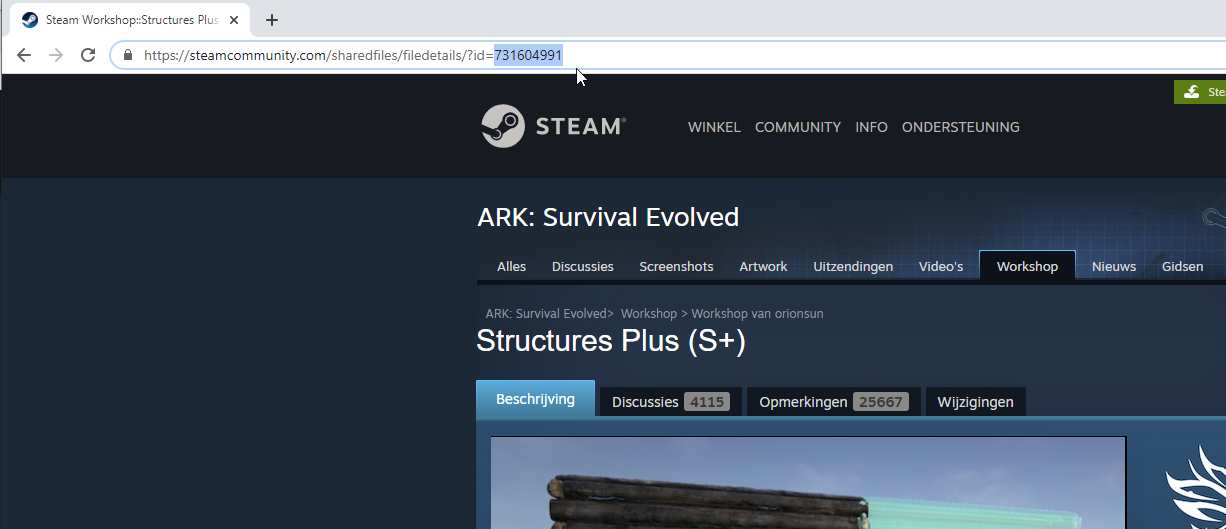
- Copy the mod ID. You find it in the page URL on steamcommunity.com. The S+ mod ID is
731604991.
- Go to your control panel.
- In the server list, click your ARK server.
- Open the
GameUserSettings.inifile. - If you don't have the
ActiveMods=variable yet, add it under[ServerSettings].
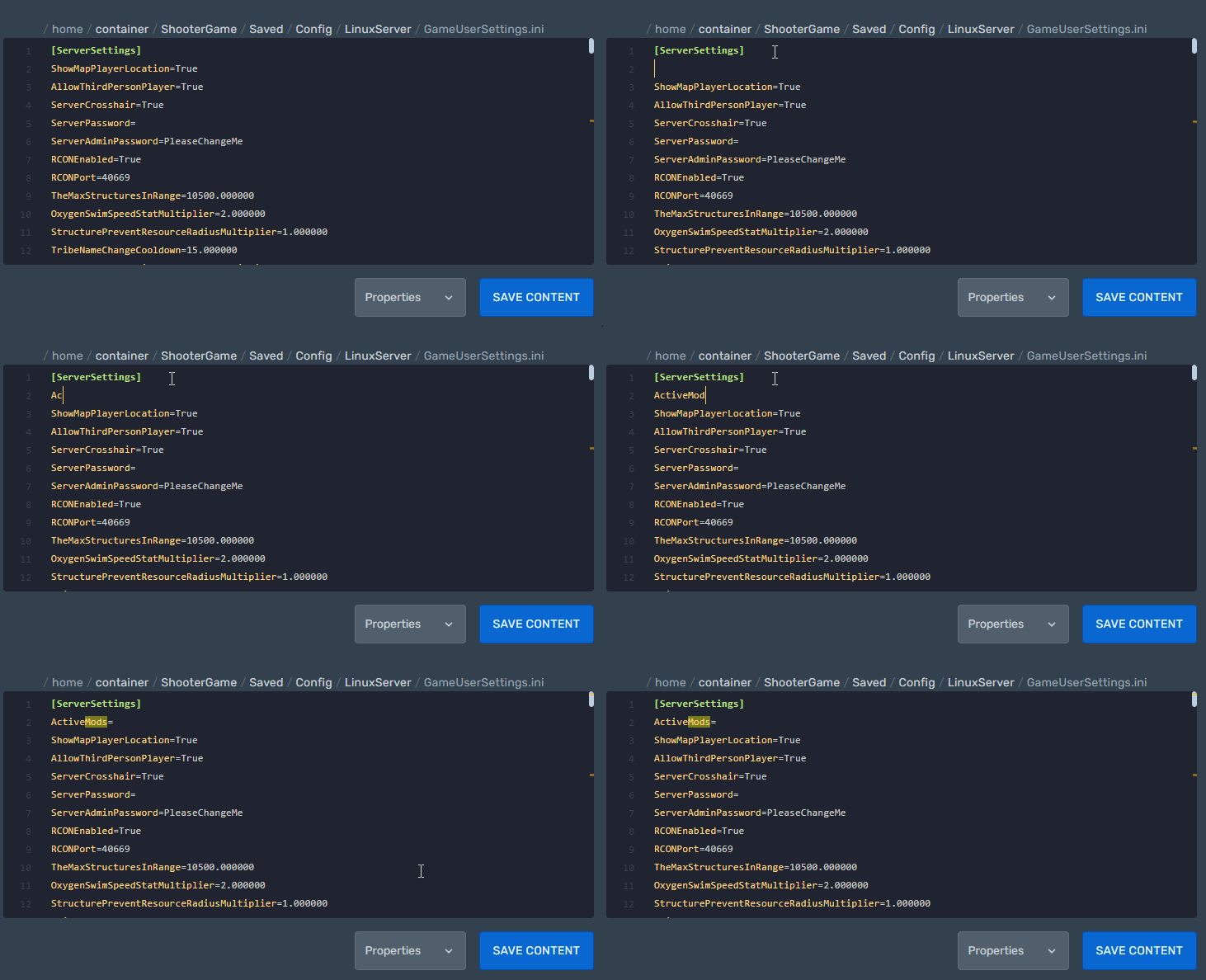
- Behind
ActiveMods=add the mod ID followed by a comma,.
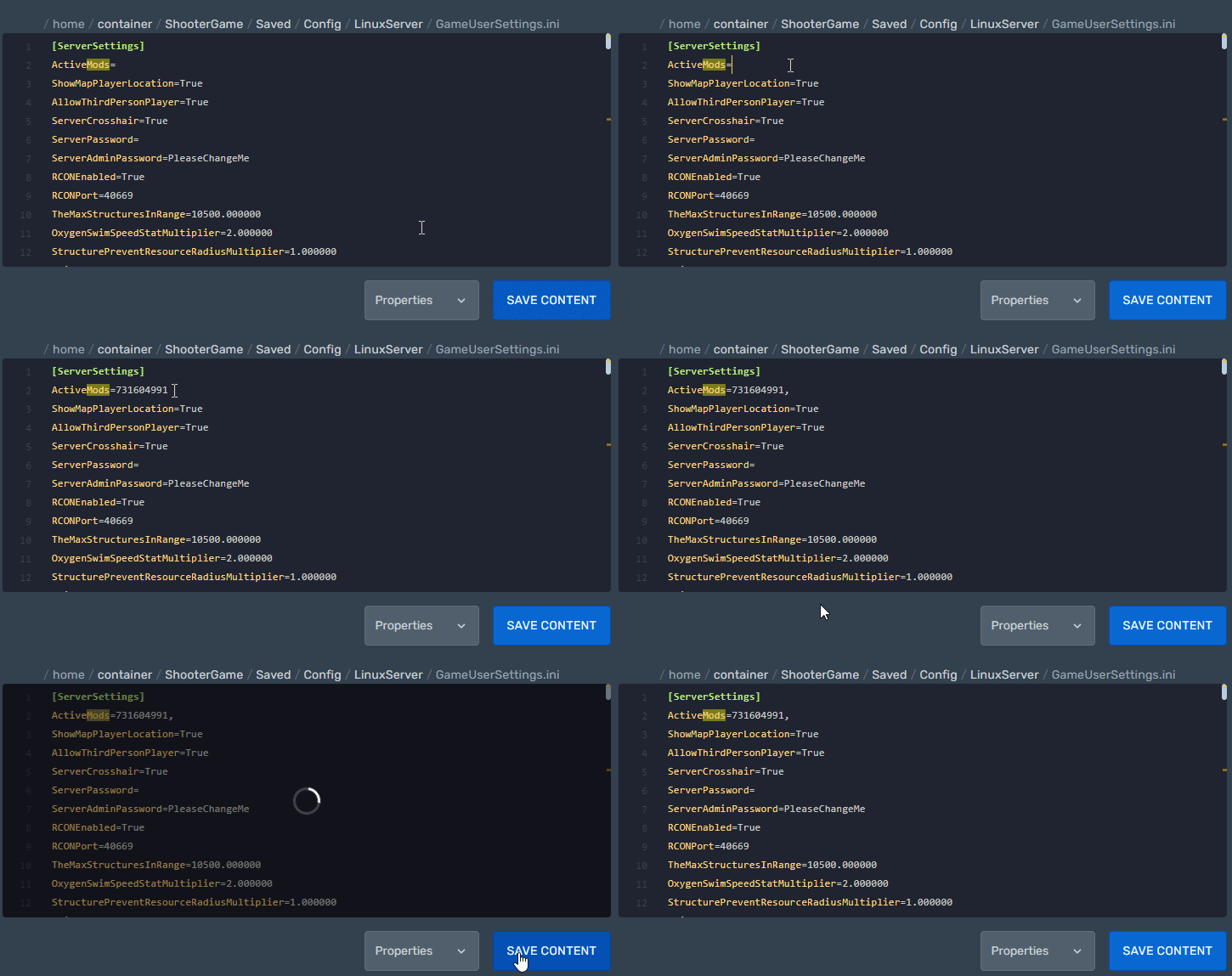
- Click the SAVE CONTENT button.
- Start your server.
For several mods, separate each ID with a comma: ActiveMods=731604991,000000000.
Need more help? Open a ticket.
Was this article helpful?
Be the first to rate it