

Game Hosting
Project Zomboid: How to Spawn in Items and Vehicles
Use the admin panel to spawn items into your inventory and vehicles on the map.
Aug 4, 20262 min readzomboidadminspawn
If you want to test out your mods or test out certain vehicles or items in the game, or even just have fun cheating in items and vehicles, you can do so with these steps.
Note: In order to use the following steps, you must be logged in an admin account.
Spawning Items
- Log in to the game as an admin.
- Open the Admin Panel.
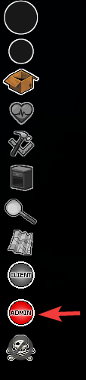
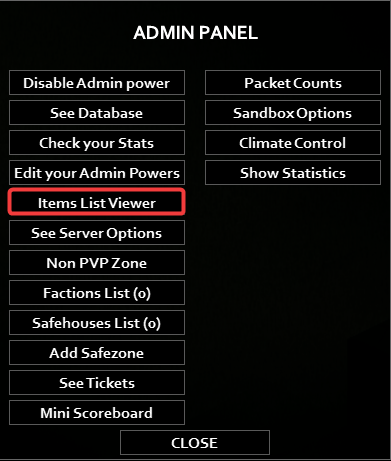
- Click Items List Viewer.
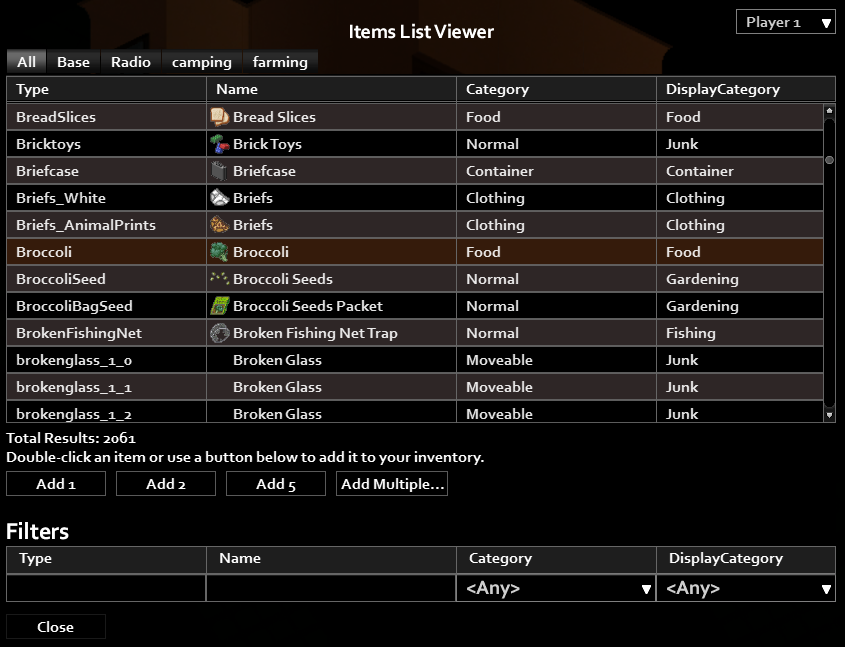
- Here, you'll see a list of all items available in your game. Double click an item or use the Add buttons to add any amount to your inventory.
Spawning Vehicles
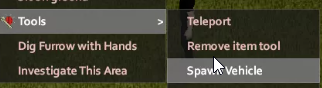
- Right click anywhere to open up the menu.
- Click Tools → Spawn Vehicle.
- Select a vehicle and click Spawn.
Need more help? Open a ticket.
Was this article helpful?
Be the first to rate it