' d='M777.45,250.6c-14.33-8.12-25.8-19.19-34.4-33.21-8.44-14.01-12.66-29.15-12.66-45.39s4.18-31.13,12.54-45.15c8.36-14.01,19.79-25.08,34.28-33.21,14.33-8.12,30.02-12.18,47.06-12.18s32.77,4.02,47.18,12.06c14.41,8.04,25.92,19.08,34.52,33.09,8.44,14.18,12.66,29.31,12.66,45.39s-4.22,31.38-12.66,45.39c-8.44,14.02-19.91,25.08-34.4,33.21-14.49,8.12-30.26,12.18-47.3,12.18s-32.49-4.06-46.82-12.18ZM796.32,123.51c-8.6,5.1-15.53,12.03-20.78,20.78-5.1,8.76-7.65,18-7.65,27.71s2.55,19.15,7.65,27.83c5.09,8.68,11.95,15.65,20.54,20.9,8.6,5.26,18,7.88,28.19,7.88s19.43-2.63,28.19-7.88c8.76-5.25,15.68-12.26,20.78-21.02,4.93-8.44,7.41-17.68,7.41-27.71s-2.51-19.11-7.53-27.71c-5.02-8.6-11.82-15.53-20.43-20.78-8.92-5.09-18.39-7.65-28.43-7.65s-19.35,2.55-27.95,7.65Z'/%3E%3Cpath fill='url(%23g2)' d='M971.05,246.51c-22.23-37.39-57.53-81.04-99.41-122.92-41.88-41.87-85.53-77.18-122.92-99.41-43.42-25.81-73.35-31-88.95-15.39-15.6,15.61-10.42,45.54,15.39,88.95,10.27,17.28,23.35,35.91,38.58,55.09-12.48-34.33-42.71-105.49-35.16-125.23.53-.53,2.11-1.08,4.98-1.08,7.34,0,23.15,3.63,51.58,20.53,35.55,21.13,77.35,55,117.7,95.36,40.37,40.37,74.22,82.16,95.36,117.7,23.54,39.57,21.33,54.68,19.44,56.55-1.87,1.88-16.99,4.1-56.55-19.43-21.7-12.9-45.72-30.54-70.33-51.51l-20.53,17.4c26.92,23.2,53.37,42.75,77.26,56.96,27.1,16.11,48.94,24.19,65.33,24.19,9.87,0,17.75-2.93,23.62-8.8,15.6-15.6,10.42-45.54-15.39-88.95Z'/%3E%3Cpath fill='url(%23g3)' d='M945.96,209.05c-5.28,7.23-12.34,13.08-20.56,16.93-18.43-25.16-41.47-51.97-67.37-78.31,4.97-7.5,11.79-13.63,19.79-17.83,26,26.52,49.25,53.6,68.14,79.22Z'/%3E%3Cpath fill='url(%23g4)' d='M986.45,8.79c-5.87-5.87-13.75-8.79-23.64-8.79-16.38,0-38.22,8.07-65.32,24.19-23.02,13.7-48.44,32.35-74.37,54.48,6.68,5.68,13.39,11.63,20.1,17.79,23.76-20.08,46.89-36.96,67.85-49.42,39.56-23.52,54.7-21.32,56.56-19.43,1.89,1.86,4.11,17-19.43,56.56-21.15,35.55-55.01,77.33-95.38,117.7-40.35,40.35-82.15,74.23-117.7,95.35-28.41,16.9-44.24,20.53-51.57,20.53-2.86,0-4.44-.55-4.97-1.1-7.54-19.72,22.68-90.89,35.14-125.22-15.23,19.17-28.29,37.79-38.56,55.08-25.83,43.43-31.01,73.34-15.4,88.96,15.59,15.61,45.53,10.43,88.96-15.4,37.39-22.23,81.03-57.54,122.91-99.39,41.88-41.88,77.19-85.54,99.41-122.93,25.81-43.4,30.99-73.34,15.4-88.96Z'/%3E%3C/svg%3E)


CVE-2026-98432: Linux Kernel TCP Vulnerability — What It Is and What to Do on Your VPS or Dedicated Server
A Linux kernel flaw can, in theory, let a remote attacker crash a server during the TCP handshake. We explain who is affected, which distributions have a patch as of October 29, 2026, and the concrete steps to protect your VPS or dedicated server.
As of October 29, 2026, the Linux kernel vulnerability CVE-2026-98432 is fixed in the official stable branches and in Debian, but Ubuntu, Red Hat, AlmaLinux, Rocky and SUSE 15 have not yet released a fixed kernel. At the time of publishing there is no known public exploit. If you have a Linux VPS or dedicated server with Fusiora, you manage its kernel: this article explains what happened and which steps to take.
What happened, in plain language
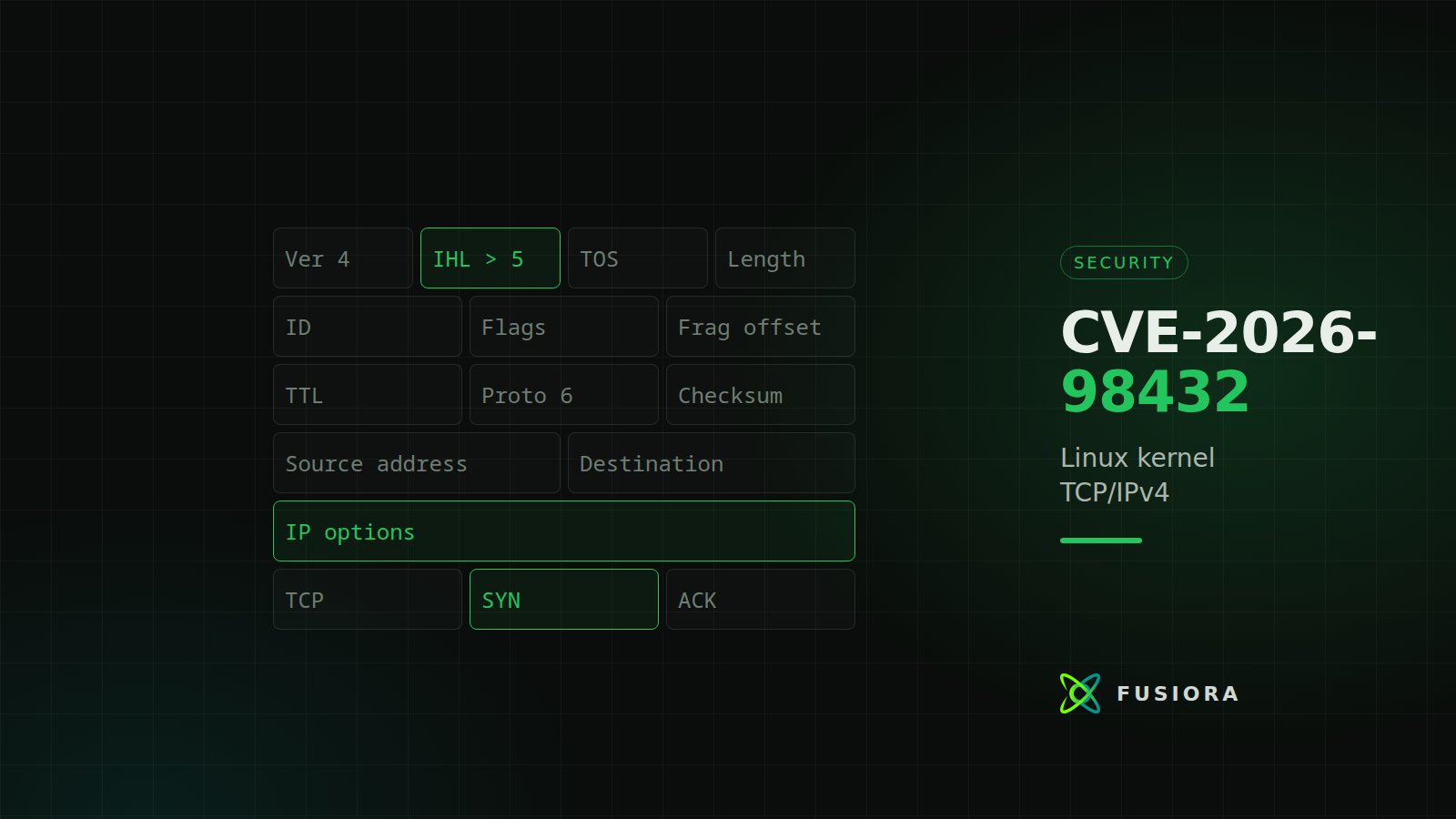
When someone opens a TCP connection to your server, the kernel temporarily stores some information from the first packet (the SYN). If that packet carries IPv4 options (optional fields in the IP header, such as Record Route or Timestamp, which normal traffic almost never uses), the kernel can free that memory while another part of the system is still using it. This is known as a use-after-free.
In practice, the most likely outcome is that the server crashes and reboots (denial of service). Official sources disagree on severity: the CVE record also mentions possible disclosure of kernel memory contents to the attacker and memory corruption, while Red Hat says a crash is most likely and that no confidentiality or integrity impact has been demonstrated.
Short technical detail
- Fix: commit
e3f33b0a1d89"ipv4: free inet_opt and ireq_opt after an RCU grace period" (Eric Dumazet, October 1, 2026), included in Linux 7.3. It replaces twokfree()calls withkfree_rcu()innet/ipv4/af_inet.candnet/ipv4/tcp_ipv4.c. - Cause:
tcp_v4_syn_recv_sock()hands the request's IP options to the child socket without copying them. If a retransmitted SYN arrives at the same time, another CPU may be sending a SYN-ACK with those options while the child is destroyed and frees them. - Second variant: only with TCP request migration enabled (
net.ipv4.tcp_migrate_req=1, which defaults to 0, or a reuseport BPF program that migrates requests). - Vector: remote and unauthenticated, during the handshake, before the application is involved. It requires a TCP service listening on IPv4, a SYN carrying IP options and winning a timing race. The CNA rates the complexity as low; Red Hat and SUSE rate it as high.
- IPv6: not affected by the main flaw. There is no need to disable IPv6.
Who is affected?
- Linux VPS: each VPS boots its own kernel, which you install and update from the operating system. If your VPS runs a vulnerable kernel, you need to update it and reboot.
- Linux dedicated servers: the same. You have full root access and the kernel is your responsibility.
- Containers (Docker, LXC, Podman) on your server: they share the host kernel, so they are protected by updating that server's kernel.
- Not affected: Windows Server and FreeBSD, because they do not use the Linux kernel.
Important. This article covers the operating system you manage. If you have any question about another part of your service, open a ticket and we will get back to you.
Patch status as of October 29, 2026
Official kernels (kernel.org). These versions, or any later release of the same branch, already include the fix:
The CVE record does not list any fixed 4.x or 5.4 branch (both are out of official support).
By distribution. Note that distributions number their kernels their own way, so what matters is each one's fixed package:
On distributions that ship recent kernels from the official branches (for example Fedora, Arch or Alpine), compare your version with the kernel.org table. If you run Debian 10 or 11 or another unsupported system, do not count on receiving a patch: plan a move to a supported release (on a VPS, from the panel, Manage → Rebuild; note that reinstalling deletes all data; on a dedicated server, open a ticket). CentOS 7 uses the RHEL 7 kernel, which Red Hat says is not affected by this CVE, but it no longer receives security updates: migrating is still advisable.
Steps for customers
Connect over SSH (guide) and run the commands as root or with sudo.
1. Check which kernel you are running
uname -r
On Debian, the exact package version appears at the end of:
uname -v
For example, "Debian 6.12.113-1" or later on Debian 13 means you already have the fixed version. On Ubuntu, RHEL and its derivatives, the uname -r number is the distribution's own: compare it with its advisory, not with the kernel.org table.
2. Back up before you change anything
If your plan includes snapshots, take one before updating. If not, copy anything you cannot afford to lose off the server. Updating the kernel is routine, but the reboot is when an existing problem can surface.
3. Update the system
Debian and Ubuntu:
apt update && apt full-upgrade
On Debian 12, if you use the 6.12 kernel from the linux-6.12 package (DLA-4850-1), full-upgrade updates it too. To check the installed kernel packages:
dpkg -l 'linux-image*'
AlmaLinux, Rocky, RHEL, Fedora, Oracle and CloudLinux:
dnf upgrade --refresh
rpm -q kernel
SUSE and openSUSE:
zypper refresh && zypper patch
Arch:
pacman -Syu
Alpine:
apk update && apk upgrade
On Ubuntu, RHEL, AlmaLinux and Rocky there is no fixed kernel yet as of October 29; on Oracle Linux (UEK kernel) and CloudLinux, check your vendor's advisory. It is still worth applying pending updates, and you should repeat this step as soon as your distribution publishes its advisory (see step 8); in the meantime, apply the mitigation in step 5.
4. Reboot and check the new version
The new kernel is not used until you reboot:
reboot
Once the server is back, run uname -r again (and uname -v on Debian) and compare it with your distribution's fixed package (the "By distribution" table), or with the kernel.org table if you run an official kernel. If the server does not answer over SSH after the reboot:
- VPS: log in to the vps.fusiora.com panel and open the VNC console (Options tab → Browser VNC; if you do not see the button, click Enable VNC first).
- Dedicated server: use the IPMI/KVM remote console.
- In the GRUB menu (on Debian and Ubuntu, under "Advanced options"; if the menu does not appear, hold Shift or press Esc while booting) you can pick the previous kernel while you investigate.
5. If your distribution has no patch yet: temporary mitigation
The flaw is only triggered by IPv4 TCP SYNs that carry IP options, which are very uncommon in legitimate traffic. You can drop those packets with nftables. The rule lets normal SYNs through and does not affect IPv6 or other protocols. If your server forwards traffic (for example as a router or VPN gateway), it also filters those SYNs in transit. It is not a substitute for the patch.
If you do not have the nft command, install it with apt install nftables or dnf install nftables. The rule lives in its own table, which coexists with ufw, firewalld and Docker:
nft add table inet cve_2026_98432
nft add chain inet cve_2026_98432 pre '{ type filter hook prerouting priority -300; policy accept; }'
nft add rule inet cve_2026_98432 pre 'ip hdrlength > 5 tcp flags & (syn | ack) == syn counter drop'
To check it (the counter shows how many packets it has dropped):
nft list table inet cve_2026_98432
To remove it:
nft delete table inet cve_2026_98432
Added this way, the rule does not survive a reboot. Do not add it to /etc/nftables.conf or enable nftables.service for this: depending on the distribution, that configuration flushes every rule on the system, including Docker's or ufw's. If you need it to persist across reboots, save it in its own file, /etc/cve-2026-98432.nft:
table inet cve_2026_98432 {
  chain pre {
    type filter hook prerouting priority -300; policy accept;
    ip hdrlength > 5 tcp flags & (syn | ack) == syn counter drop
  }
}
And load it with its own service, /etc/systemd/system/cve-2026-98432.service:
[Unit]
Description=Mitigation CVE-2026-98432

[Service]
Type=oneshot
RemainAfterExit=yes
ExecStart=/usr/sbin/nft -f /etc/cve-2026-98432.nft
ExecStop=/usr/sbin/nft delete table inet cve_2026_98432

[Install]
WantedBy=multi-user.target
First remove the manual rule if you added it (nft delete table inet cve_2026_98432), so it is not duplicated. Then:
systemctl daemon-reload && systemctl enable --now cve-2026-98432.service
Once you are on the fixed kernel, turn it off with systemctl disable --now cve-2026-98432.service.
On older systems without nftables, the iptables equivalent is:
iptables -t raw -I PREROUTING -p tcp --syn -m u32 ! --u32 "0>>22&0x3C=20" -j DROP
Like the nft rule added by hand, this one does not survive a reboot.
Also check that the migration variant is disabled (it should return 0, the default):
sysctl net.ipv4.tcp_migrate_req
If it says the key does not exist, your kernel lacks that feature and this variant does not apply.
Do not filter all packets with IP options: IGMP uses them and you would break multicast. The rule above is deliberately limited to TCP SYNs.
6. Livepatch: only where it exists
As of October 29, 2026 we have not found any live patch for this CVE from Canonical, Red Hat or SUSE. SUSE has released a fixed kernel for 16.0 (6.12.0-160000.40.1), which requires a reboot. Without a live patch, the fix is to update the kernel and reboot.
7. Review what you expose to the Internet
The flaw needs a TCP service listening on IPv4. This is a good moment to close the ports you do not need in your firewall (ufw or firewalld) and restrict admin ports to your own IPs. Our guide Set up your first VPS covers the basic firewall setup.
8. Watch the advisories and ask for help if you need it
Follow your distribution's CVE page (links below) and, when the fixed kernel appears, repeat steps 3 and 4. If you have questions or something does not boot after updating, open a ticket with your service and the output of uname -r.
Frequently asked questions
Does Fusiora update the kernel on my VPS or dedicated server?
No, unless you have a managed service contracted; in that case, check with support. On a standard VPS or dedicated server you have full root access and you manage the operating system, kernel included. If you would like help with the steps, open a ticket.
Is updating the packages enough?
No. Until you reboot you are still running the old kernel. Check with uname -r that you are on the new version.
Do I need to disable IPv6?
No. IPv6 is not affected by the main flaw.
Can the nftables rule break anything?
It only drops IPv4 TCP SYNs with IP options, which are very uncommon in legitimate traffic. It does not touch IPv6 or other protocols, and one command removes it.
Is my Windows Server affected?
No. This is a Linux kernel vulnerability.
Is it being exploited?
At the time of publishing there is no known public exploit, and the CVE is not in CISA's KEV catalog. We will update this article if that changes.
Sources
- CVE.org: official record from the Linux CNA, published 2026-10-15 and updated 2026-10-24
- NVD: CVE entry with the CNA score (checked 2026-10-29)
- Ubuntu: status by release, High priority (updated 2026-10-28)
- Debian Security Tracker: fixed packages, DSA-6568-1, DLA-4841-1 and DLA-4850-1 (checked 2026-10-29)
- Red Hat: Moderate rating and "Fix deferred" status (checked 2026-10-29)
- SUSE: status by product (checked 2026-10-29)
- Linux fix commit: "ipv4: free inet_opt and ireq_opt after an RCU grace period" (2026-10-01)
- kernel.org: current stable releases (checked 2026-10-29)
- CISA KEV: catalog of exploited vulnerabilities, without this CVE (checked 2026-10-29)
Was this article helpful?
Be the first to rate it